The internet is not something that you just dump something on, it’s not a big truck, it’s, it’s a series of tubes!
-U.S. Senator Ted Stevens
My home lab has been a fun, though sometimes time-consuming, hobby I’ve built up over the last few years. Currently, my self-hosted services include network wide ad blocking, cloud storage, multiple websites, media streaming, smart home controls, and even a local LLM. That’s right, the post you’re reading right now is hosted locally from my home office! But how did I get into all of this, and is it really worth it? [Cue Vsauce theme music]
We All Start Somewhere…
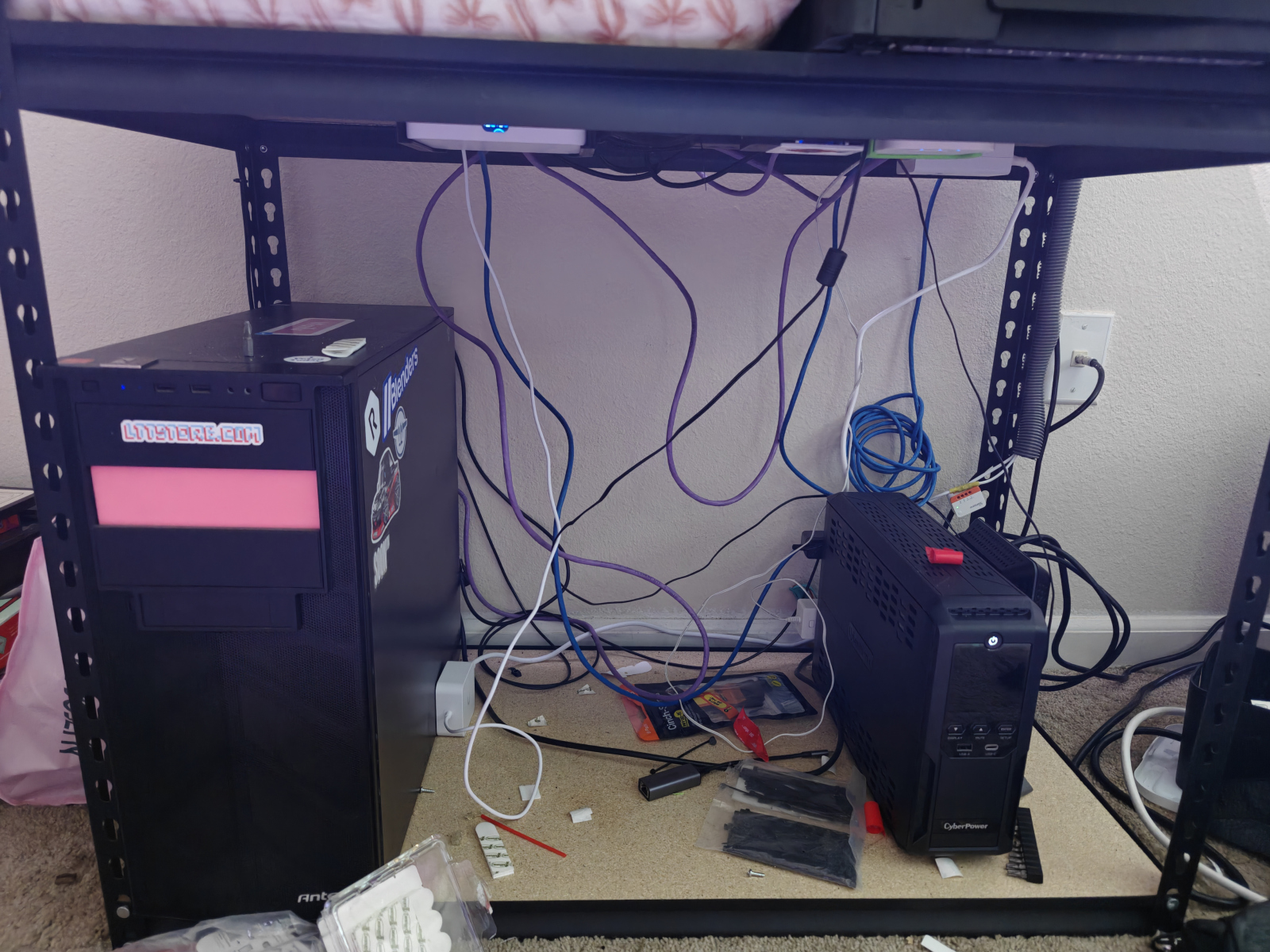
Back in 2021, I started self-hosting a cloud storage solution, Nextcloud, in a virtual machine to replace my Google Drive and Photos since I was running out of space. After running it for a while and making small tweaks, I finally decided to invest in dedicated hardware, funded by selling off my DIY mining rigs. To save some cash, I sourced as many second-hand parts as possible. In total I think I have spent around $1800 for all of the hardware, networking equipment, and battery backups.
Current Parts List
- Case: Antec case (Goodwill)
- PSU: Rosewill 1000 Watt (Recycled)
- MOBO: Asus Prime-P (Second hand)
- CPU: 5700G (New)
- GPU: Nvidia a2000 6GB (Second hand)
- RAM: 64 GB DDR4 (New)
- Cooler: be quite! (Second hand)
- Drives: Various types adding up to 15TB (New)
- Fans: 3 Noctua NF-P12 (New)
Current Setup and Services
I’m running Ubuntu Server as the OS for my home server. It’s connected to a CyberPower 900W UPS and is configured to gracefully shut down after five minutes of power loss and automatically restart when power is restored.
Here’s a quick overview of what’s running:
Nextcloud
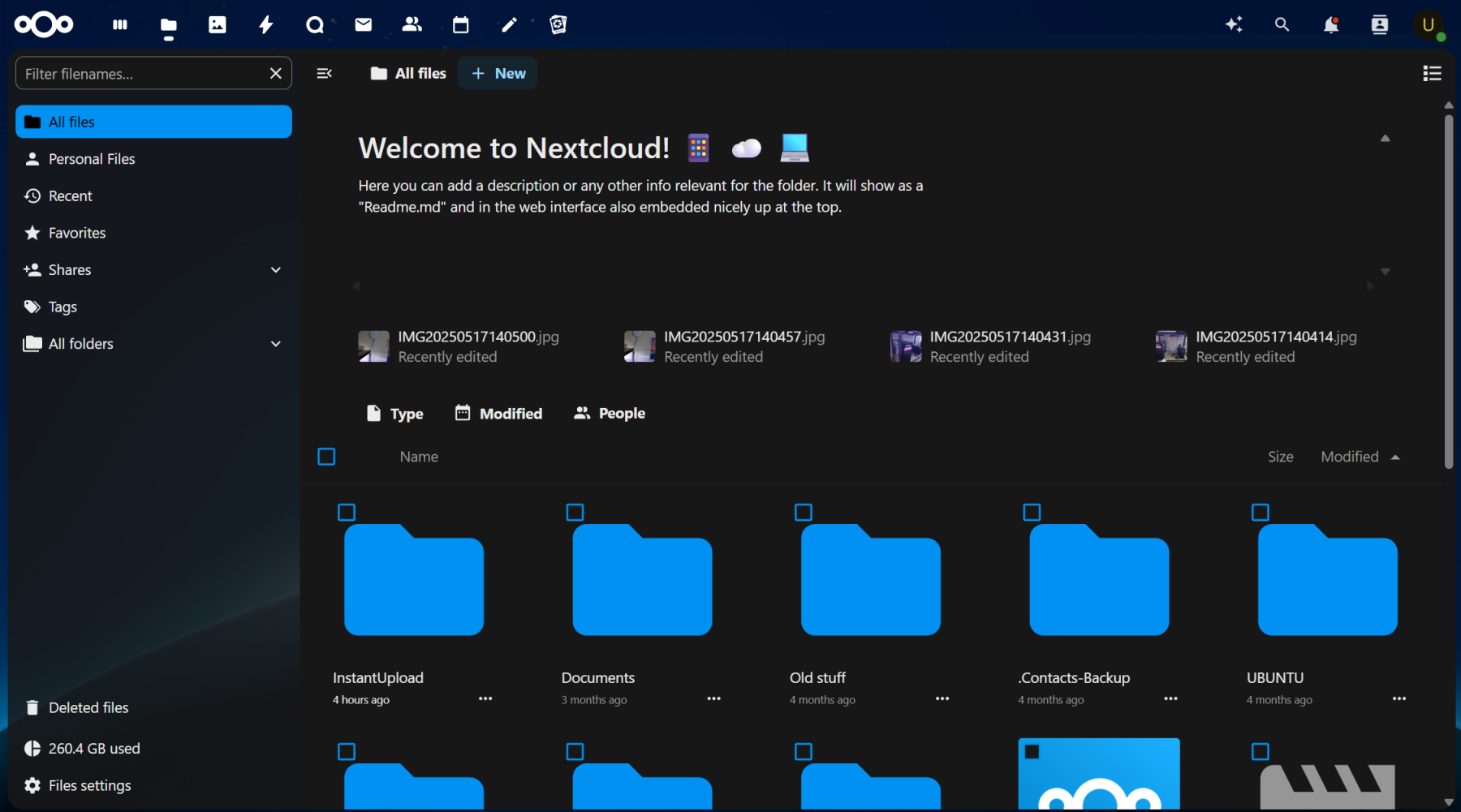
Nextcloud has been my longest-running self-hosted service. I started with the Snap package, moved to the Docker container, and now run it directly on bare metal. It’s been my dedicated data storage and sharing solution for years, helping me centralize family photos and documents for sharing and safe keeping. With the addition of the Nvidia A2000 GPU, I also integrated facial recognition software to organize photos by faces and objects, all handled locally! Nextcloud is a great way to secure, share, and store your data.
WordPress
WordPress is my CMS of choice for both my website and my significant other’s. It helps me create, organize, and publish content like this post! With a massive library of plugins, you can do almost anything, provided you’re willing to learn. I’m also looking forward to my web development class next semester to better customize my site using PHP!
If you’re thinking about doing something similar, it’s totally doable in an afternoon:
- Set up a LAMP server
- Register a domain
- Grab SSL certificates through Let’s Encrypt
- And you’re off and running!
Docker
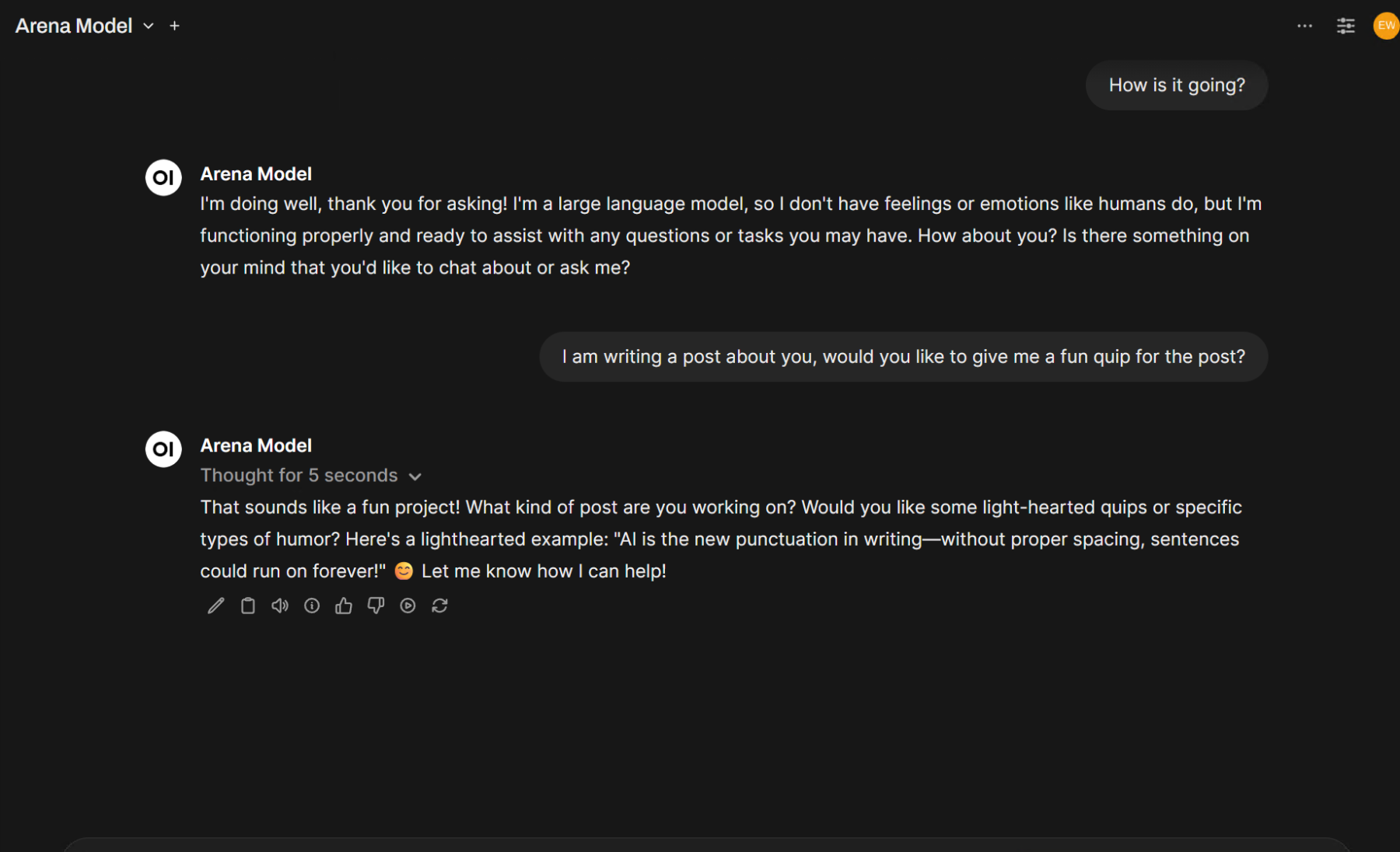
Docker is a must-have tool for any home lab. I use Portainer to manage my containers, including Home Assistant, which runs most of my smart home, and the web portal for Ollama. Eventually, I plan to phase out my Nest Hubs and replace them with local Home Assistant voice devices. With Ollama, I’ve set up a local AI interface where I can interact with various models like R1, Ollama3, and Arena to quickly access information, all without relying on the cloud!
Plex
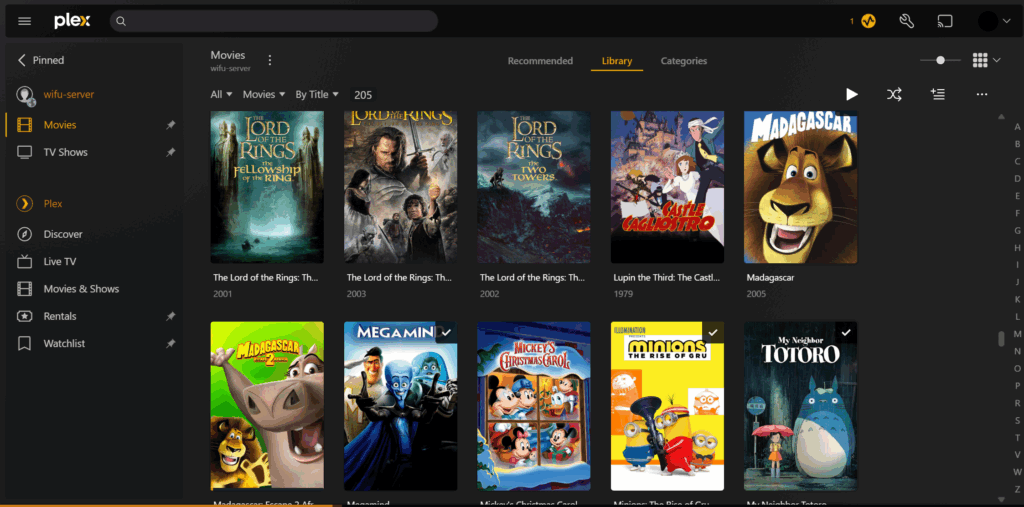
Plex has been my go-to media streaming solution for years. I even bought the lifetime pass to support the developers and unlock hardware encoding. But lately, the Android app has become a mess, and the new UI is cluttered with freemium TV services I didn’t ask for. I’m considering switching to Emby or Jellyfin, but for now Plex still does the job for enjoying and sharing my media collection with my friends and family.
The Net…
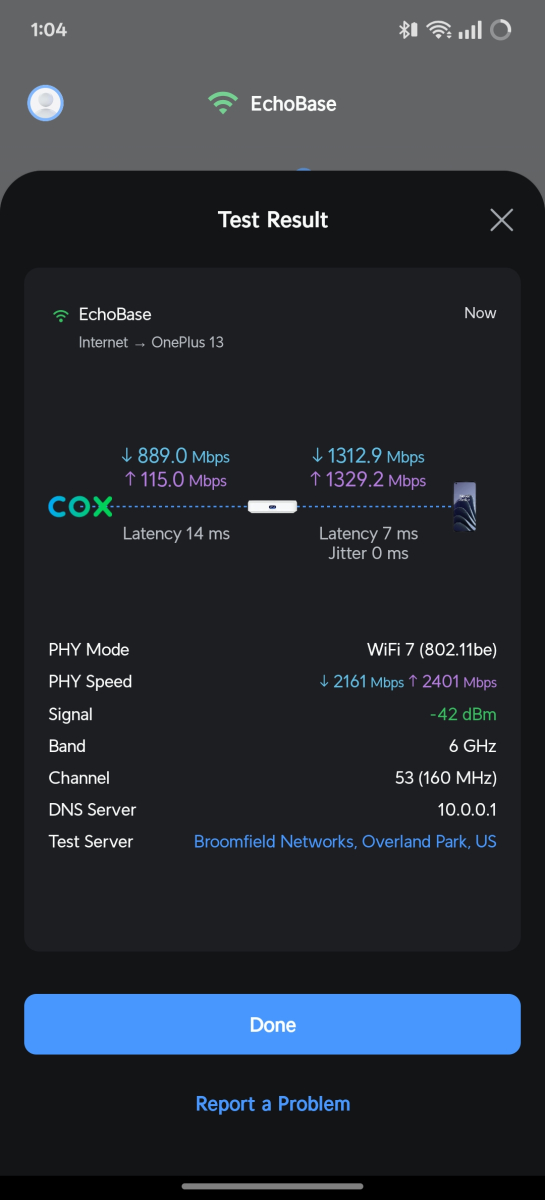
I know this post is getting long, so let’s wrap it up with a quick overview of my network gear. I recently upgraded to a Ubiquiti system with the USG-MAX and U7-XGS AP. This setup lets me segment my network with VLANs, secure traffic using IPS, and enjoy blazing-fast Wi-Fi 7 speeds, up to 1300 Mbps up and down on my LAN. On top of that, I’m running a Raspberry Pi 2B as a network-wide ad blocker using Pi-hole.
That’s All Folks…
Building out my home lab has been a fun and rewarding experience that’s expanded my skills and deepened my understanding of the “series of tubes” that is the internet. Self-hosting is a great way to learn, gain practical experience, and even save money in the long run. I’ll probably write more detailed posts on each of these services in the future, but for now thanks for reading! I hope this gives you some ideas for building out your own home lab.

Links To Get Started…
- Nextcloud: https://docs.nextcloud.com/server/latest/admin_manual/installation/
- Plex: https://support.plex.tv/articles/200288586-installation/
- Home Assistant: https://www.home-assistant.io/getting-started
- Pi-Hole: https://pi-hole.net/
- Ollama: https://ollama.com/download